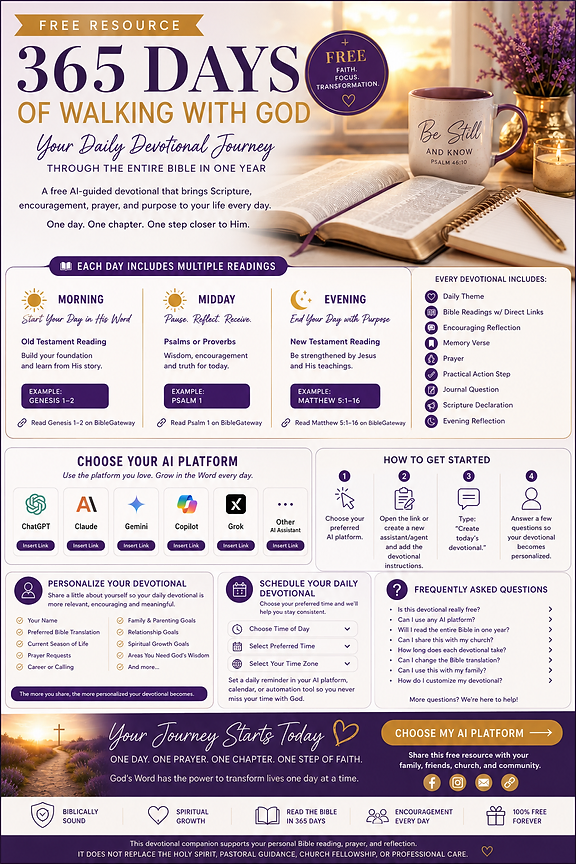
365 Days of Walking With God
A Free AI-Guided Daily Devotional Companion
Spend intentional time with God every day through a personalized devotional designed to help you read through the entire Bible in one year.
Every day includes
Morning Reading
Old Testament
Midday Reading
Psalm or Proverbs
Evening Reading
New Testament
Each devotional also includes
- Daily Theme
- Direct Scripture Links
- Encouraging Reflection
- Memory Verse
- Prayer
- Practical Action Step
- Journal Question
- Scripture Declaration
- Evening Reflection
Choose Your Preferred AI Platform
Select the assistant you already use. Each platform has its own simple setup.
How to Begin Your Daily Devotional Journey
Choose your preferred AI platform
Select ChatGPT, Claude, Gemini, Copilot, Grok, or another assistant from the options above.
Open the devotional assistant
Use the launch button above. If your platform doesn’t support custom GPTs, copy the devotional instructions into a new assistant, project, or agent.
Type: Create today’s devotional
Send that simple prompt to begin your personalized devotional for the day.
Answer a few questions
Respond to the personalization questions so your devotional reflects your season of life.
Make It Yours
Your AI platform may ask a few questions. Only share what you’re comfortable sharing.
- What is your first name?
- Which Bible translation do you prefer?
- What season of life are you currently in?
- What are you praying about?
- What goals are you working toward?
- What challenges are you facing?
- How can today’s devotional encourage you?
- Are you single, dating, engaged, or married? (Optional)
- Are you raising children? (Optional)
- Is there anything specific you’d like God to help you with during this season?
The more you share, the more personalized your devotional can become. Only share what you are comfortable sharing.
Every Devotional Includes
Daily Theme
Bible Reading
Direct Scripture Links
Devotional Reflection
Memory Verse
Prayer
Practical Action Step
Journal Question
Scripture Declaration
Evening Reflection
Schedule My Daily Devotional
Choose a time that fits your rhythm, then set a recurring reminder.
Schedule Your Daily Reminder
Would you like ChatGPT to remind you each day?
If yes:
- 1Open ChatGPT.
- 2Create a recurring reminder or automation (if available on your plan).
- 3Set the reminder for your preferred time.
- 4Use the prompt: “Create today’s devotional.”
Would you like Claude to remind you each day?
If yes:
- 1Create a Project in Claude.
- 2Save the devotional instructions.
- 3Set a daily calendar reminder to open Claude and type: “Create today’s devotional.”
Would you like Google Gemini to remind you each day?
If yes:
- 1Save the devotional prompt in Gems or your preferred workspace (if supported).
- 2Create a recurring reminder using Google Calendar.
- 3Open Gemini each day and request: “Create today’s devotional.”
Would you like Microsoft Copilot to remind you each day?
If yes:
- 1Save the devotional prompt.
- 2Schedule a recurring reminder in Outlook or Microsoft To Do.
- 3Open Copilot daily and request your devotional.
Would you like Grok to remind you each day?
If yes:
- 1Save the devotional prompt.
- 2Create a daily reminder in your preferred calendar app.
- 3Open Grok and ask for today’s devotional.
Every AI platform evolves over time. If scheduling features are unavailable, simply create a recurring reminder in your phone or calendar to spend time with God each day.
Frequently Asked Questions
Your Journey Starts Today
One day.
One prayer.
One chapter.
One step of faith.
God will meet you exactly where you are.
Share with friends, family, churches, Bible study groups, and small groups.